Version 4 2D + 3D creative toolkit

Build it.
Rig it. Animate it.

Bring characters and creative ideas to life with rigging, keyframe animation, sculpting, physics, skinning and export tools all in one desktop workflow.

No Tokens, No Subscription.

Rig Lab V4Character tools Animation Creative control
2D + 3DCharacter workflows
400+ presetsAnimations advertised
Rig · Sculpt · AnimateMultiple creative tools
DesktopWindows software
What you can create

A toolkit for the whole character workflow

Explore the major capabilities. Exact import and export compatibility may depend on file type and workflow.

#

Build and rig skeletons

Create and edit skeletons with a hierarchy-driven workflow.

  • Humanoid and Mixamo-style biped armatures
  • Build a rig from FBX skeleton data
  • Add or delete child bones
  • Position, rotate and stretch joints
#

Attach and shape artwork

Connect 2D artwork and 3D assets to your character rig.

  • Transparent PNGs and sprite sheets
  • PNG mapping, isolation and rotation
  • Four-corner PNG distortion
  • Plane, sphere, cylinder and capsule wraps
#

Shape Lab and sculpting

Explore shape editing and sculpting tools.

  • Standalone Shape Lab
  • Shape sculpting tools
  • Texture and transparency workflows
  • Visual previews of your work
#

Animate with keyframes

Control motion over a timeline and refine timing.

  • Auto keyframe and key scope
  • Per-keyframe easing
  • Copy, paste and mirror poses
  • In/Out markers and timeline scrubbing
#

Physics and motion

Experiment with character motion and scene interaction.

  • Ragdoll mode and gravity controls
  • Solid floor and feet lock
  • Sine motion driver
  • Lighting controls for OBJ workflows
#

Import, record and export

Move animation data and rendered output through supported workflows.

  • FBX and OBJ mesh support
  • FBX clips sampled to timeline JSON
  • PNG sequence and video export tools
  • Export cropping and background video
See the tools in action

Watch the work, not just the feature list

A new multy fueatured Shape Lab has been intergrated in Rig LAb V4.

Sculpting and transparencies

See a visual example of sculpting and transparency workflows.

Standalone Shape Lab

Explore the Shape Lab preview and its creative controls.

Try before you buy

Start with the Rig Lab demo

Download the demo archive, extract it to a folder you choose, and follow the included instructions.

  • Download the available demo package
  • Extract the archive before launching
  • Explore the first-version Rig Lab workflow
  • Compare the demo with tools included in the full version
Archive and security note: The demo is a RAR archive. Use a trusted extraction tool and only run files you trust. Evaluate Windows security warnings rather than automatically ignoring them.
Learn at your own pace

Watch a walkthrough

Use this video as a starting point, then visit the tutorial library for more help.

Animation resources

Explore the preset animation collection

The original site advertises more than 400 preset animations. Preview the collection and use the link to access the archive.

Download preset animations ?
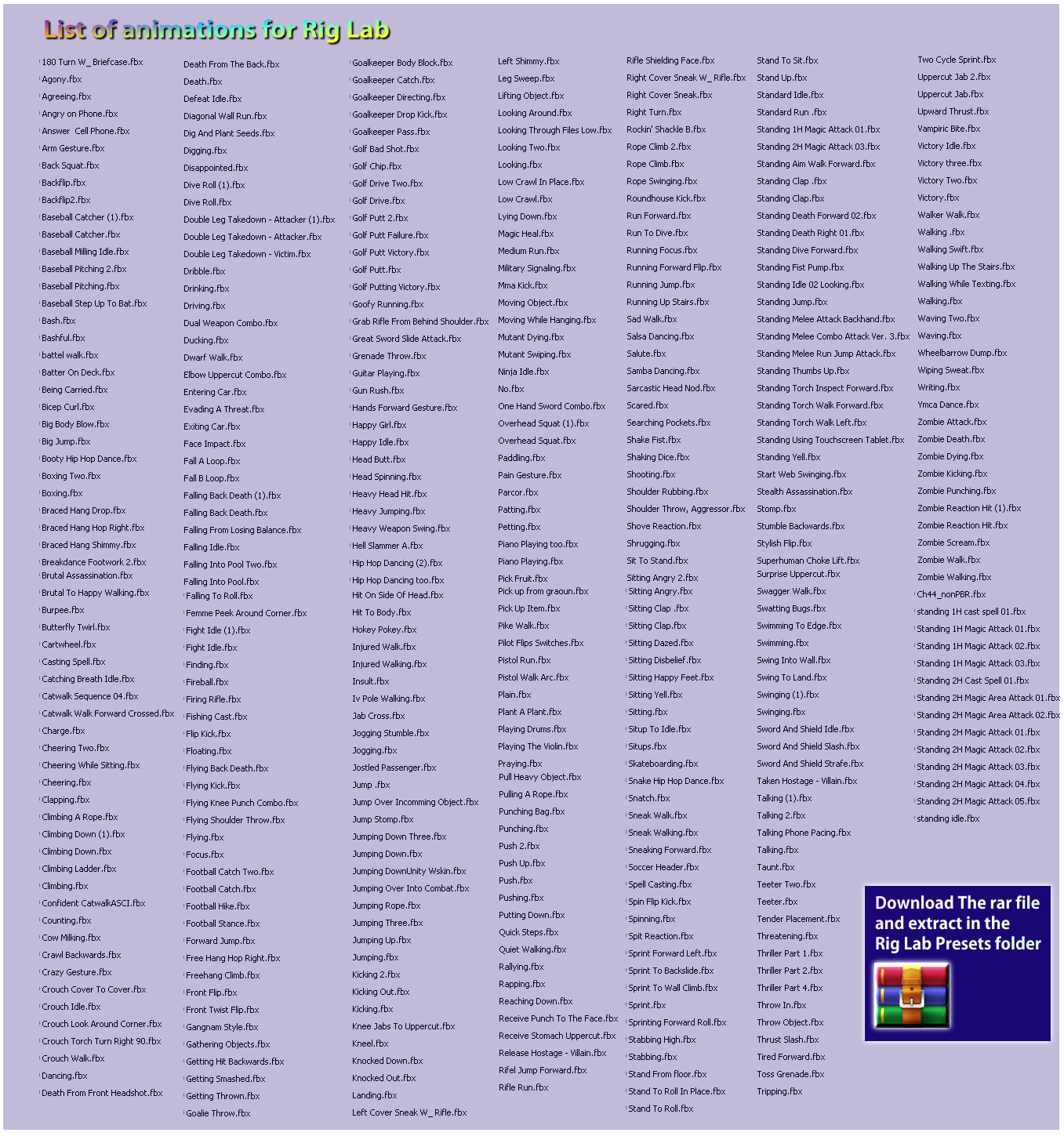
Rig Lab preset animation collection preview
Before installing

Compatibility and system requirements

Built on Windows 7 - Tested on Win 7 - 10

Operating systemTested on Windows 7 and Windows 10 Home, and lists Windows 7 or later. Verify your specific setup.
System memoryAt least 4 GB RAM. More memory may help with larger projects.
Video export16 GB or more VRAM for best results. Confirm actual GPU requirements before purchase.

Ready to create?

Bring your next character to life.

Explore the demo, watch the tutorials, and review the full version of Rig Lab V4.